
Description
You can now control multiple SDI sources on an Ultra HD monitor or television!
Blackmagic MultiView units are the world’s first multiview solutions to operate in native Ultra HD. They allow you to control independent SDI video sources on a single HD or Ultra HD display! Each input includes a full frame synchronizer, enabling you to simultaneously connect any combination of SD, HD, and Ultra HD formats and frame rates to the same screen. When used with an Ultra HD television, you get four full-resolution 1080 HD windows on a single display. You also get on-screen VU meters, custom labels, and more.
[youtube .watch?v=ItoGKMr3w6A] MultiView 4
The simplest multiview solution available!
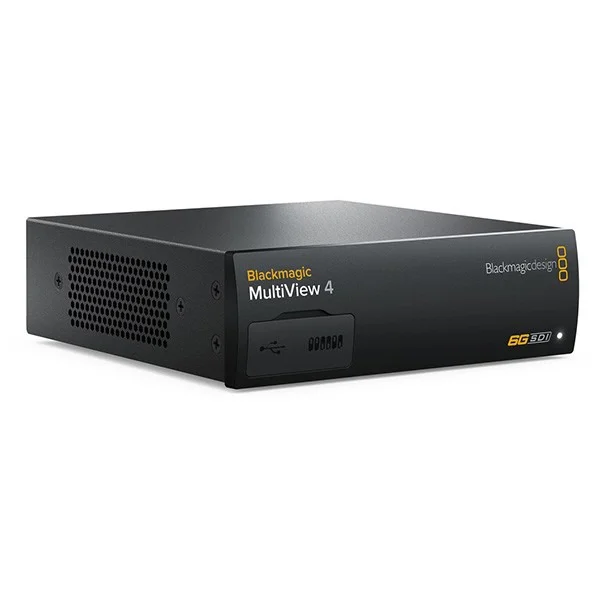
The Blackmagic MultiView 4 features four independent 6G-SDI inputs that support all SD, HD, and Ultra HD formats up to 2160p30. Simply connect your sources to display a standard 2×2 grid on an HD or Ultra HD television. With remote control software via Ethernet, you can view VU meters, select the audio channel to route, create custom labels, and more. The MultiView 4 is compatible with the Teranex Mini Rack Shelf, allowing for desktop or rack mounting. Alternatively, a Teranex Mini Smart Panel can be installed for front-panel control. The MultiView 4 can be powered via AC and Ethernet, providing robust reliability and redundancy
Use in the studio or live!
A multi-source monitoring system designed for broadcasters
Multiview monitoring is ideal for large control rooms generating numerous input signals, for multicamera productions, or in confined spaces where multiple monitors aren’t possible. With Blackmagic MultiView, say goodbye to multiple monitors and dozens of cables to your video sources! Simply connect your cameras, VTRs, switchers, and routers to the SDI connections to your footage on a single HD or Ultra HD monitor with exceptional clarity and detail.
Independent monitors
Display your preferred combination of SD, HD, and Ultra HD sources
Each window in the Blackmagic MultiView acts as an independent video monitor. All 6G-SDI inputs have a frame synchronizer. They support all video standards and frame rates, and each input is completely independent. Therefore, you can simultaneously display any combination of NTSC, PAL, 720p, 1080i, 1080p, and Ultra HD sources up to 2160p30 on the same screen, whether they are synchronized or not. This gives you the equivalent of 4 or 16 independent monitors in one!
High-resolution monitoring
The multiview solution offering the highest resolution in the world!
The Blackmagic MultiView supports both HD and Ultra HD displays. This ensures maximum compatibility with your HD equipment while giving you the option to use an Ultra HD monitor for unparalleled clarity. Ultra HD offers four times the pixels of standard HD, allowing your video to have the sharpest possible image. When you choose a 2×2 display on an Ultra HD monitor, you get a 1920 x 1080 HD resolution with no image scaling in each window! The MultiView features 6G-SDI and HDMI outputs for direct connection to televisions, video projectors, and broadcast monitors.
Advanced monitoring tools
Custom labels, tally, VU meters and much more!
Blackmagic MultiView monitors include advanced monitoring tools that can be displayed on the video. These include customizable labels, VU meters, tally lights, and more. You can also choose which audio source is routed to the video output. The source labels are subtle and elegant, and they adapt to the window size based on your chosen layout. You also get support for anamorphic SD, allowing you to view 16:9 anamorphic SD video sources in widescreen format.
Multi-rate 6G-SDI connections
Supports all your SD, HD and Ultra HD equipment!
All Blackmagic MultiView models include multi-rate 6G-SDI inputs with a frame synchronizer and individual loop outputs, making them compatible with all your equipment. The SDI inputs automatically detect and synchronize all SD, HD, and Ultra HD formats up to 2160p30. You also have HDMI and 6G-SDI connections for routing HD and Ultra HD signals. In addition, the MultiView 16 features a blackburst/tri-sync reference input for studio installations.
Design
Choose between two formats depending on your installation!
The MultiView 4 was designed to offer you a compact and portable solution that’s easy to set up and use. Simply plug in your sources and turn the device on to instantly display all four windows! The MultiView 16 is designed for more complex setups with multiple video sources to display on the same screen. It features a front panel with a switcher-style control panel. This panel includes dedicated source buttons, a rotary dial, and an LCD screen for adjusting settings, activating on-screen information, and easily routing desired sources to the window of your choice!
Multiple multiview solutions
Create a personalized display with multiple devices!
The Blackmagic MultiView 4 supports four sources in an ultra-compact form factor; however, if you have more, you can use multiple MultiViews to create a custom display. Simply link two devices together by connecting the output of one MultiView 4 to an input of another. This allows you to control up to seven sources simultaneously on the same screen. Link an unlimited number of devices for a truly personalized display!
Optional front panel control
Works with the Teranex Mini Smart Panel!
The Blackmagic MultiView 4 is compatible with the Teranex Mini Smart Panel, so you can choose to control your multiview setup with a front panel. Installation is simple: just swap the front panel and adjust settings on the fly! The Smart Panel features dedicated buttons, an LCD screen, and a rotary dial that allow you to activate custom labels, VU meters, borders, tally, and more. You can also change settings such as the IP address and video output format directly from the front panel!
Same format as the Teranex Mini
Use the Teranex Mini accessories!
The MultiView 4 has the same form factor as Blackmagic Design’s Teranex Mini 12G-SDI converters. This means you can use the Teranex Mini Rack Shelf to rack-mount the MultiView 4, or even mount multiple MultiView 4 units or a mix of Teranex Mini and MultiView units in the same rack. The choice is yours! If you work in a demanding broadcast environment where you need to be able to change settings at any time, you can also install a Teranex Mini Smart Panel. This panel gives you quick access to the MultiView 4’s settings through easy-to-use menus.
External control of the « switching grid » type
Videohub protocol support allows for easy external control!
The MultiView 16 functions similarly to the Blackmagic Videohub switching grid, ensuring full compatibility with Videohub software and external hardware control panels. This allows you to route any input to your preferred monitoring window. If front panel access is limited, both Blackmagic MultiView models can also be controlled remotely via the utility installed on a Mac or Windows computer. You can also add labels to the screen and control other parameters remotely!


