
Description
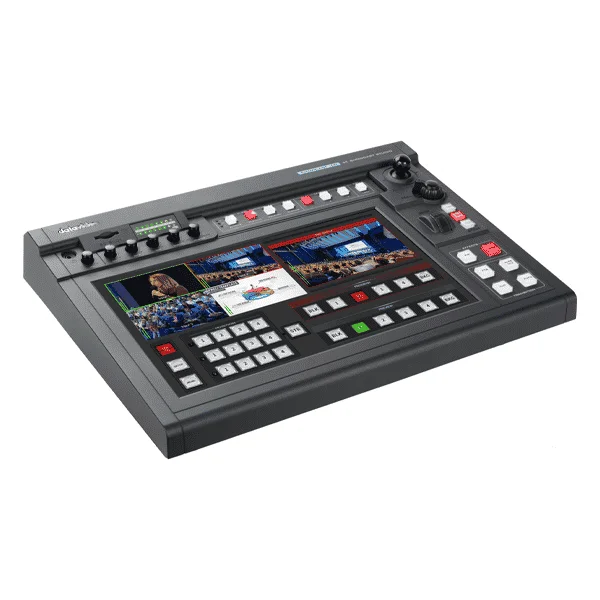
Introducing the Datavideo Showcast 100
The Datavideo Showcast 100 is a 4-channel, 4K touchscreen switcher with seven main functions. It can switch video, overlay text and graphics, control cameras, stream live, and record and mix audioall from a single unit. Similar to a tablet, the 14-inch touchscreen provides easy and intuitive access to the switcher’s functions.
Video switching
The four HDMI input/output channels are designed for basic video production workflows for meetings, corporate conferences, religious events, etc.
Camera control
The ShowCast-100’s built-in camera control functions allow you to simultaneously control three PTZ cameras. You can directly save lens position presets, rotate and tilt the camera lens in real time, zoom in and out on an image, and adjust white balance, aperture, and mirror mode.
The subtitles
The ShowCast 100 offers two ways to overlay subtitles. A lumakeyed subtitle is generally used for logos, animated text, etc. Another way is to overlay subtitles using the built-in network streaming encoder.
Video streaming and recording
The built-in dual live streaming encoder lets you record and broadcast simultaneously. With the ShowCast 100’s recording capability, you can easily save recorded video files for post-production editing with minimal effort.
Virtual buttons
Virtual buttons on the large touchscreen make using the switcher and setting camera presets easy. Using the ShowCast 100 is as simple as using a tablet. Produce professional video productions without a steep learning curve on how to use and operate a switcher.
Useful and simple transition effects
Cut, Mix, and Wipe are the three useful and simple transition effects built into the mixer. Through an easy-to-use 14-inch touchscreen interface, transition settings are immediately accessible after selecting a particular effect. For example, if you have selected Wipe, you can easily adjust the transition speed by dragging a slider with your finger or tapping it to select a border color.


