
Description
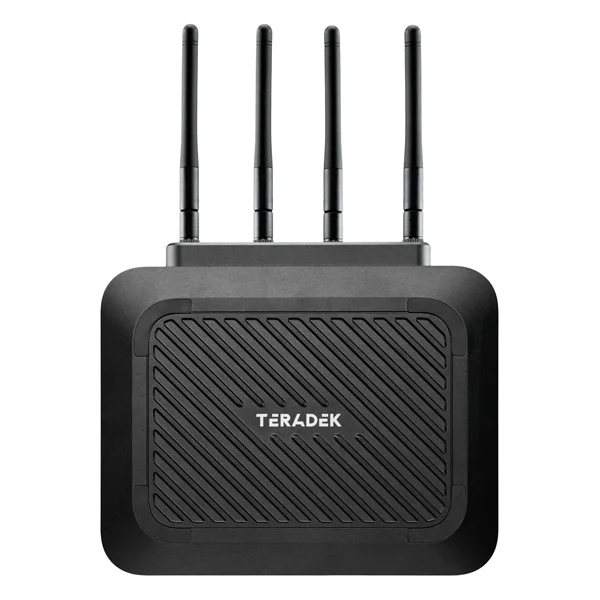
Introducing the Teradek Link AX router (no mount):
The Teradek Link AX is a Wi-Fi 6 (802.11AX) router and access point that allows you to extend your production network. This enables you to use it for multiple workflows: adding more cameras and devices to your local production broadcast network, camera-to-cloud for multiple cameras, and simultaneous camera control across multiple cameras. This router features a rugged aluminum construction and includesand ¼-20 mounting points.
Key features of the Teradek Link AX router (no mount):
- Extends the networking of your production
- Wi-Fi surveillance with multiple Serv devices
- 20 independent viewers using the VIEW HDR app
- Add an internet connection to enable remote monitoring or camera-to-cloud workflows
- Simultaneous control of multiple cameras via Wi-Fi
- Mains powered
- Robust, aluminum construction
- 5 customizable Ethernet ports
- USB-A for cellular modems such as Node II with Teradek Data
Different scenarios, different solutions with the Teradek Link AX:
Workflow 1: Local streaming production
Challenge: To view different live camera feeds on set, phones and/or tablets must connect, disconnect, and reconnect to multiple access point networks.
Solution: Use Link AX to route all camera feeds to a single network for local control. Connect up to 20 phones and tablets throughout the production and view live feeds using Teradek VUER on iOS and Android.
Workflow 2: Multi-camera setup to the cloud
Challenge: Share multiple live camera feeds with remote creatives and collaborators.
Solution: Manage and share an unlimited number of live streams worldwide through an end-to-end workflow.
Workflow 3: Live color calibration
Challenge: Live color grading on set with multiple cameras
Solution: Route all cameras to Link AX, allowing each camera to instantly receive unique LUT and CDL changes based on the needs of each shot or setup.
Workflow 4: Wireless Camera Control
Challenge: Since each camera is in access point mode, it can be tedious to juggle between camera controls.
Solution: Use a single network and switch between tabs for each camera. This solution will soon be compatible with the Sony Venice and other cameras.


